
The following Docker command line is used to filter and display information in a more concise and screen-friendly format. It selectively filters only the services and/or containers currently active with a “running” status on specific Docker nodes.
docker node ps --filter "desired-state=running" --format "table {{.ID}}\\t{{.Name}}\\t{{.Image}}\\t{{.Node}}\\t{{.CurrentState}}\\t{{.Error}}" node1 node2 node3
Here is a detailed explanation of what the command does::
- Using
docker node ps - By utilizing the
--filter "desired-state=running" - Define how the output will appear with
--format "table {{.ID}}\\t{{.Name}}\\t{{.Image}}\\t{{.Node}}\\t{{.CurrentState}}\\t{{.Error}}"
It will present the information in a tabulated format, featuring distinct fields:{{.ID}}{{.Name}}{{.Image}}{{.Node}}{{.CurrentState}}{{.Error}}- (!) Note the double-escaped tab
\\t
- Concluding with
node1 node2 node3
Below is an illustration of how this output appears.
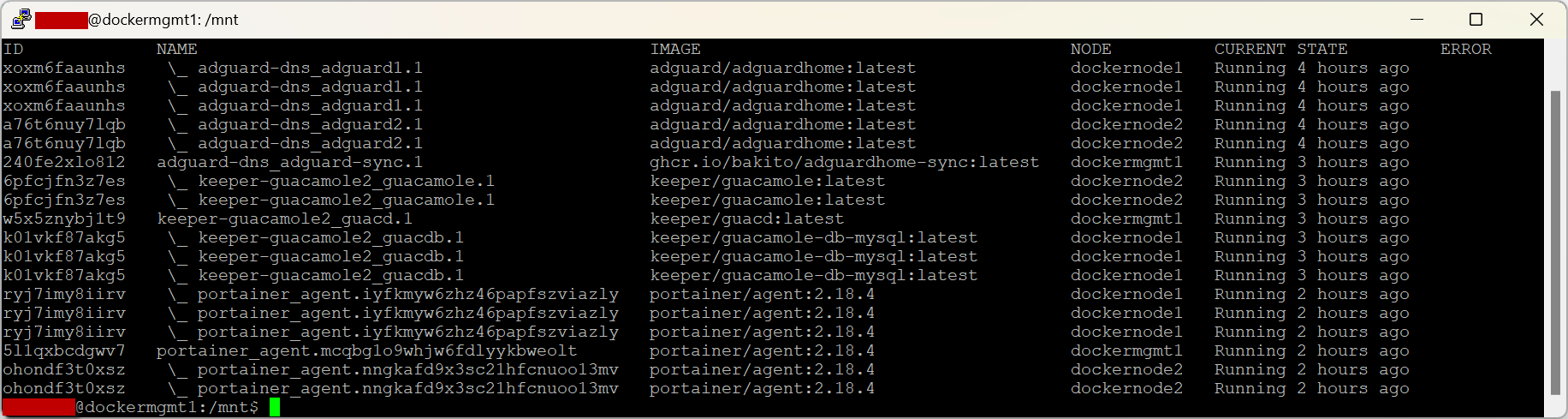
In summary, this can be used to effectively filter active services on the provided nodes and present them in a tabular format, highlighting critical details such as service ID, name, Docker image, node association, status, and any potential error messages.